

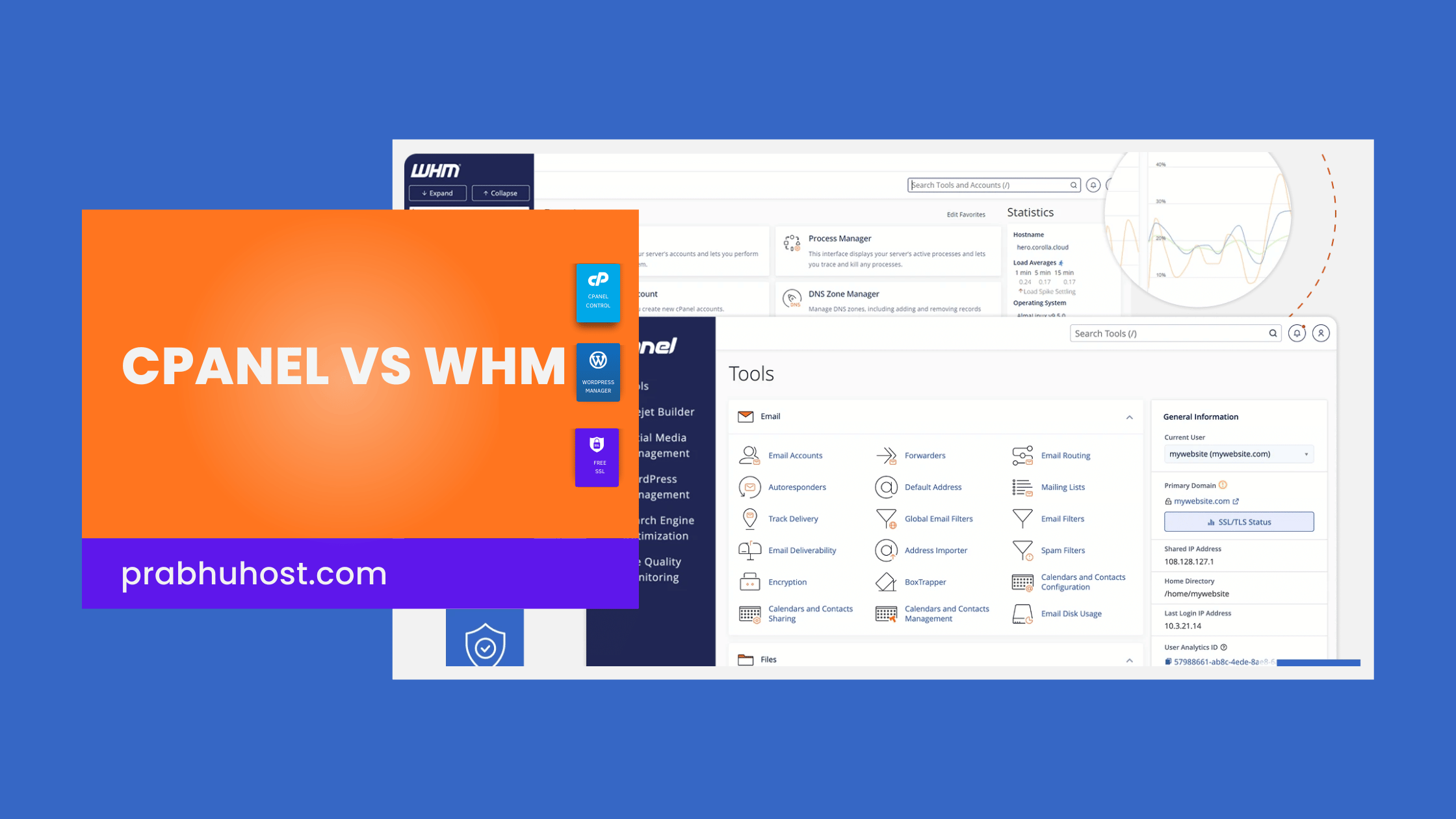
Introduction to the Web Hosting Management Duo
Effective Web hosting requires robust Server administration and simplified Website management. The industry standard for Linux control panel environments is the integrated pairing of cPanel and WHM (WebHost Manager).
While often discussed together, cPanel vs WHM serve distinct purposes within the Web Hosting Provision ecosystem. They are designed to streamline operations for different user types.
Understanding this separation is critical. This guide defines the core functions of each tool, detailing how the System administrator utilizes WHM and how the individual Website owner interacts with the cPanel dashboard.
What is cPanel? The End-User Control Panel
cPanel is the client-facing Graphical user interface designed to simplify web hosting tasks for the individual Website owner. It functions as the primary Control panel for a single Hosting account.
It provides comprehensive management tools for handling all aspects of the hosted site without requiring advanced Command-Line Interface knowledge. The interface is highly user friendly and easy to use.
Key functionalities available through the cPanel dashboard include Domain management, Email management, and interaction with Website files via FTP (File Transfer Protocol).
Furthermore, cPanel integrates essential functions like the Softaculous Apps installer. This allows users to deploy popular applications such as WordPress, Joomla, Drupal, or phpBB instantly.
Core Functions of the cPanel Dashboard
The cPanel interface is focused on providing the necessary tools for daily website operation. These tools are categorized for quick access:
- File Management: Use the File Manager to organize Website files or manage transfers using FTP accounts.
- Database Management: Create, modify, and manage MySQL and PostgreSQL databases via phpMyAdmin. This is essential for CMS platforms like WordPress.
- Email Management: Establish custom email addresses, configure forwarders, and set up spam filters for the Hosting account.
- Security: Implement security features such as SSL certificates and Two-Factor Authentication.
- Application Installation: Utilize the Softaculous script library automation tool to install or upgrade applications and scripts quickly.
What is WHM (WebHost Manager)? The Administrator Control Panel
WHM (WebHost Manager) is the powerful, root-level interface used primarily for Server administration and Web Hosting Provision. While cPanel manages one site, WHM manages the entire server environment.
This tool is utilized by the System administrator or a reseller hosting provider to manage multiple cPanel accounts, track resource usage, and configure server-wide settings.
WHM provides control over security, performance tuning, and the creation and termination of individual Hosting account packages.
Core Functions of WHM for System Administration
WHM offers high-level controls necessary for maintaining server stability and managing client infrastructure:
- Account Management: Create, suspend, or terminate individual cPanel accounts. Define resource limits and allocate disk usage.
- Server Monitoring: Track essential metrics like CPU load, memory usage, and Disk Usage Tracking to ensure optimal server health.
- Security Configuration: Implement advanced security measures against Brute-Force Attacks, manage firewall configurations, and perform security audits.
- Service Management: Control back-end services, manage DNS records, and configure PHP versions globally for all hosted accounts.
- Reseller Hosting Provision: WHM is the necessary tool for offering Reseller Hosting packages, allowing administrators to partition server resources for resale.
cPanel vs WHM: Key Differences Summarized
The distinction between cPanel vs WHM revolves entirely around access level and scope of control. They are not competing products but complementary layers of the same management system on a Linux server.
Understanding the Differences Between cPanel and WHM
When comparing cPanel and WHM, it’s vital to recognize that they serve different user needs within the web hosting environment. cPanel is designed for individual users to manage their websites, while WHM caters to administrators overseeing multiple accounts.
The key distinction lies in their functionality. cPanel provides tools for domain management, file management, and application installation, whereas WHM focuses on creating and managing multiple cPanel accounts, tracking resources, and server-wide configurations.
cPanel allows users to control their hosting environment without needing technical expertise, making it user-friendly for beginners. On the other hand, WHM requires a deeper understanding of server management, aimed at those responsible for maintaining server health.
Moreover, cPanel offers features like automatic backups, software installation (e.g., WordPress via Softaculous), and database management tools like MySQL. WHM, however, includes robust server monitoring tools, account creation capabilities, and security configurations impacting all cPanel users under its management.
This delineation ensures that while individual users can easily manage their sites, the system administrator can oversee multiple cPanel accounts and system-wide resources effectively. Such an arrangement promotes operational efficiency and optimal resource utilization across the server.
WHM operates at the root level, focusing on infrastructure and multiple users. cPanel operates at the user level, focusing on specific Website management tasks.
| Feature | cPanel (Client Interface) | WHM (Administrator Interface) |
|---|---|---|
| Primary User | Website Owner or End-User | System Administrator or Reseller |
| Scope of Control | A single Hosting Account | Entire Server (Multiple cPanel Accounts) |
| Main Goal | Website Management (Files, Email, Databases) | Server Administration and Account Provision |
| Key Tasks | Installing WordPress via Softaculous, managing Website files, creating emails. | Setting up hosting packages, monitoring resource allocation, managing server security. |
| Access Level | User-level access | Root or Reseller access |
Understanding the cPanel/WHM Control Hierarchy
cPanel and WHM (WebHost Manager) form the integrated management structure standard for Linux control panel environments. This unified system is designed to simplify web hosting and facilitate high-level Server administration.
Benefits of Using WHM (WebHost Manager)
WHM provides a robust platform for server administration, allowing system administrators to manage multiple cPanel accounts efficiently. One notable benefit is the ability to create and control hosting packages tailored to specific user needs, which enhances resource allocation based on customer requirements.
Furthermore, WHM offers comprehensive security controls, enabling administrators to enforce server-wide security policies. This centralized security management significantly reduces the risk of vulnerabilities across all hosted accounts.
Monitoring server performance is another critical feature of WHM. Administrators can track CPU usage, memory load, and other essential metrics to ensure optimal server health. This oversight helps in troubleshooting issues before they escalate into major problems.
Additionally, WHM simplifies the process of account management. It allows for quick creation, suspension, or deletion of cPanel accounts, thereby streamlining the administrative workload and improving operational efficiency.
In essence, using WHM gives hosting providers an edge in managing their clients effectively. With its powerful tools and features, WHM facilitates a smoother operational workflow and enhances overall service quality in the web hosting industry.
Understanding the operational difference between cPanel vs WHM is critical for the efficiency of the Web hosting provider and the functionality available to the Website owner.
WHM operates exclusively at the server level. It grants the System administrator access to tools required for high-level Server administration and resource allocation across multiple client accounts.
Conversely, cPanel functions as the end-user Graphical user interface (GUI). It is restricted to managing the specific resources allocated to a single Hosting account.
This hierarchical model separates root administrative control (WHM) from daily Website management (cPanel). This structure ensures robust security while maintaining a User friendly environment for the client.
What is WebHost Manager (WHM)?
WebHost Manager (WHM) is the high-level, browser-based administrative interface for the Linux control panel environment. It functions as the primary tool for System administration and Web Hosting Provision.
WHM grants either root or reseller access, enabling comprehensive management of the entire physical or Virtual Private Server (VPS) infrastructure.
This centralized platform is critical for server configuration, security management, and continuous Server Monitoring across all hosted cPanel accounts.
WHM ensures that high-performance resources, such as those offered by Prabhu Host, are correctly partitioned and allocated. It serves as the master control panel, preventing resource conflicts between multiple clients on a shared server.
Key Responsibilities of WHM in Server Administration
The WHM interface provides the necessary management tools for maintaining server stability, implementing robust security, and controlling client services.
Its core functions are focused on high-level administrative tasks that impact all users on the system:
- Account Provisioning: Use the Create a New Account interface to establish new cPanel accounts. Define specific limitations for Disk Usage, bandwidth, and Email Management capacity.
- Resource Allocation & Packaging: Create standardized hosting packages. Assign specific Resource Allocation limits to control system load and ensure equitable usage across all clients.
- Server Monitoring & Process Management: Perform continuous Server Monitoring. Review system load, manage critical processes, and analyze logs to diagnose performance issues or potential Brute-Force Attacks.
- Security Configuration: Implement server-wide security protocols. Configure firewalls, manage root access, and enforce features like Two-Factor Authentication for enhanced protection across all accounts.
- DNS and Domain Management: Control the server’s global Domain Management settings. Create custom nameservers and define DNS zones critical for website resolution.
- Software Management: Manage system software updates, including PHP, MySQL, Apache, and the core cPanel/WHM installation. This ensures the Linux control panel remains secure and optimized.
- Service Management: Control which core services (e.g., FTP, Mail, Web Services) are running on the server using interfaces like Service Manager.
Users of the WebHost Manager Interface
Access to WHM requires elevated permissions, meaning it is not generally available to the typical Website owner.
The primary users requiring this level of access for Server administration include:
- Web Hosting Providers: A Web hosting provider utilizes the full root WHM access to configure infrastructure, manage licenses, and oversee all aspects of Web Hosting Provision.
- System Administrators: These technical staff utilize WHM as the primary Graphical user interface for maintaining the operational health, security, and stability of dedicated servers or VPS environments running the Linux control panel.
- Reseller Hosting Clients: Users engaged in Reseller Hosting receive a non-root version of WHM. This allows them to create, suspend, and manage the individual cPanel accounts they sell to their own customer base.
What is cPanel?
cPanel is the industry-leading Control panel designed specifically for the end-user, often referred to as the Website owner. It operates as the client-facing component of the Linux control panel environment, linked directly to WHM (WebHost Manager).
The system provides a highly intuitive Graphical user interface (GUI) that translates complex Command-Line Interface tasks into simple, point-and-click actions. This architecture allows users to effectively manage their resources.
The primary purpose of cPanel is centralized Website management. It grants users full control over their specific Hosting account environment without requiring advanced technical expertise in Server administration. This feature significantly helps to simplify web hosting for novice and expert users alike.
Core Functions of the cPanel Dashboard
The cPanel dashboard is organized to provide robust Management tools across several key categories, making daily operations efficient for the Website owner.
- File Management: Utilize the integrated File Manager to organize and edit Website files. Users can also configure FTP (File Transfer Protocol) accounts for secure external file access.
- Domain Management: Tools are provided to add, configure, and manage subdomains, addon domains, and redirects associated with the primary domain.
- Email Management: Create and secure email accounts, establish forwarders, set up autoresponders, and implement advanced spam filtering tools.
- Database Management: Access utility tools like phpMyAdmin to create, modify, and manage MySQL or PostgreSQL databases. These databases are essential for Content Management Systems (CMS) like WordPress and Joomla.
- Apps Installer (Softaculous): This crucial feature, often integrated via Softaculous, allows users to install hundreds of applications, including popular platforms like WordPress, Drupal, and phpBB, with a single click.
- Security Management: Tools for managing SSL certificates, implementing Two-Factor Authentication, and configuring protection against Brute-Force Attacks are centralized here.
Who Utilizes cPanel for Web Hosting?
cPanel is the default interface for any entity responsible for managing a single website or application within a hosting environment provisioned by the Web hosting provider.
- Website Owner: Individuals and small businesses use cPanel as the primary interface for daily operation, maintenance, and resource monitoring of their site.
- Developers: Developers rely on cPanel to quickly deploy applications, configure necessary PHP settings, and manage advanced Database management tasks.
- End-Users: Anyone requiring access to specific Hosting account resources for tasks like Email management or Domain management uses the cPanel dashboard.
Key Differences: WHM Versus cPanel
While cPanel and WHM (WebHost Manager) are installed as a single system on a Linux control panel environment, their operational functions are fundamentally separate. WHM is designed for high-level System Administration and controls the entire server framework and all resident accounts.
Conversely, cPanel is the Graphical User Interface (GUI) used by the Website owner for specific Website management tasks within their individual Hosting account.
The following table summarizes these fundamental differences in scope and capability between the two primary management tools.
| Parameter | WebHost Manager (WHM) | cPanel |
|---|---|---|
| Access Authority | Root or Reseller Access | User Level Access |
| Target User | System administrator, Web hosting provider | Website owner, End-user |
| Scope of Control | Entire server, Server Monitoring, Security Policies, Resource Allocation | Single Hosting account, Website management, File management |
| Core Function | Server Configuration, Account Provisioning, Service Management | Website Content Management, Email management, Database management |
| Interface Complexity | Advanced, technical Server administration tools | User friendly, simplified Graphical user interface (GUI) |
| Security Impact | Server-wide security policies and firewalls | Individual account security settings (e.g., password, hotlink protection) |
WHM vs. cPanel: Access Authority and User Role
WHM requires Root or Reseller Access. This high level of authority allows the System administrator or Web hosting provider to perform critical tasks like installing server-wide software, configuring security policies, and managing resource allocation across the entire server.
cPanel operates strictly at the User Level Access. The Website owner logs into the cPanel dashboard to manage only the resources designated to their specific Hosting account. This strict separation prevents individual users from impacting the overall Server administration or other hosting environments.
Functional Scope and Management Tools
The core function of WHM is comprehensive Server Administration and Web Hosting Provision. This includes defining hosting packages, monitoring disk usage tracking, performing process management, and setting global security rules to protect against brute-force attacks.
cPanel provides the necessary Management tools to the end-user to maintain their site content. Using the simplified Graphical User Interface, the Website owner handles specific tasks like Domain management, Email management, File management, and Database management.
The cPanel interface also grants access to the Apps installer, such as Softaculous. This script library automation tool allows for the rapid one-click deployment of content management systems like WordPress, Joomla, or Drupal, simplifying web hosting tasks for the end-user.
How cPanel and WHM Collaborate
The collaboration between cPanel and WHM (WebHost Manager) establishes the standard architecture for modern Web Hosting Provision. WHM functions at the Server Administration level, defining the infrastructure and resource boundaries.
cPanel serves as the Graphical User Interface (GUI) for the individual Website owner, executing all necessary Website management tasks within those established limits. This hierarchical structure is essential for effective Linux control panel deployment.
Account Provisioning and Resource Allocation
The initial setup of any new Hosting account is managed exclusively through WHM by the System administrator. This process dictates the technical limits for the subsequent cPanel dashboard access.
- Access WHM using Server Administration credentials.
- Navigate to Account Functions > Create a New Account.
- Define the primary domain, account username, and associated password.
- Assign a specific hosting package. This crucial step defines the Resource Allocation limits (e.g., disk space, bandwidth, Database management quotas).
- WHM executes the provisioning, creating the necessary configuration files on the Linux server.
Upon completion, the Website owner receives the credentials and utilizes the cPanel dashboard for ongoing Domain management and File management. For example, use the Softaculous Apps installer within cPanel to deploy applications like WordPress, Joomla, or Drupal.
This separation ensures that the user can efficiently simplify web hosting tasks without requiring high-level server access.
Security and Server Monitoring
Security functions are split based on scope. WHM handles global security, while cPanel manages localized account security, making the entire platform more secure and easy to use.
WHM manages comprehensive Server Monitoring and infrastructure protection. This includes configuring firewall rules, implementing global defense against Brute-Force Attacks, and executing Process Management across the server.
If an individual Hosting account exceeds its Resource Allocation limits or poses a security risk, the System administrator uses WHM to suspend or terminate that account instantly without affecting other users.
cPanel, conversely, provides the Website owner with management tools for localized security. Users can set up directory passwords, manage Email management filters, or enable Two-Factor Authentication specifically for their cPanel dashboard login.
cPanel Functionality: The Website Owner’s Control Panel
The individual Website owner utilizes the cPanel dashboard as the primary interface for managing their hosting account. This robust Graphical user interface (GUI) provides powerful Management tools that eliminate the requirement for complex Command-Line Interface knowledge, simplifying daily Website management.
Database and Application Deployment
Effective Database management is simplified within cPanel. To deploy common applications, the integrated Softaculous or Apps Installer provides essential script library automation.
Follow these steps to deploy a new installation, such as WordPress, Joomla, or Drupal:
- Log into the cPanel dashboard for your hosting account.
- Locate the Software section and click Softaculous Apps Installer.
- Select the desired application, such as WordPress.
- Specify the installation directory and define the required database credentials.
- Execute the installation. The installer automatically handles the creation of the necessary MySQL database and links it to the application.
This automation ensures rapid deployment. It allows the user to focus on content development rather than specialized Server administration or database setup.
Efficient Email, Domain, and File Management
The Email management tools in cPanel offer comprehensive control over domain communications. Users can create professional, domain-specific email addresses and configure advanced features such as forwarding, mailing lists, and spam filters.
Furthermore, Domain management functions facilitate the easy configuration of necessary DNS records and the creation of subdomains, which are often essential for staging environments or specialized site sections.
For direct access to content, the File management section is accessible via the File Manager interface or dedicated FTP (File Transfer Protocol) access. This allows the Website owner to directly manipulate Website files and directories without requiring external client software. These functionalities collectively demonstrate how cPanel successfully simplify web hosting for the everyday user.
Frequently Asked Questions
Is cPanel usable without WHM?
No. cPanel is the client-side Graphical User Interface (GUI) and requires backend licensing and configuration managed by WHM (WebHost Manager).
WHM is the administrative prerequisite. It handles the installation and management of the cPanel software onto the Linux server. A Website owner can only access their Hosting account after a System administrator provisions it using WHM.
Which tool should a website owner use: cPanel or WHM?
A standard Website owner should utilize cPanel exclusively. This applies to users on shared hosting or single VPS accounts not engaged in Web Hosting Provision or Reseller Hosting.
cPanel provides all necessary Management tools for daily Website management, including Domain management, File management, Email management, and Database management.
WHM is designated for the Web hosting provider or the System administrator requiring Server administration capabilities, such as configuring the Linux control panel or managing server-wide services.
Can WHM limit what a cPanel user can do?
Yes. WHM functions as the primary control point for Resource Allocation and System Administration.
The System administrator uses WHM to define specific hosting packages. These packages govern limits on disk usage, bandwidth, and CPU allocation for each Hosting account.
This capability ensures server stability and prevents resource monopolization. WHM also enables the restriction of specific features within the user’s cPanel dashboard.
Does Prabhu Host offer WHM access?
Prabhu Host provides WHM (WebHost Manager) access with all Reseller Hosting packages. This enables advanced clients functioning as a Web hosting provider or System administrator to manage their infrastructure.
These packages facilitate full Server administration, Resource Allocation, and the comprehensive management of multiple cPanel accounts.
Shared hosting plans include full access to the individual cPanel dashboard, optimized for standard Website management tasks.